
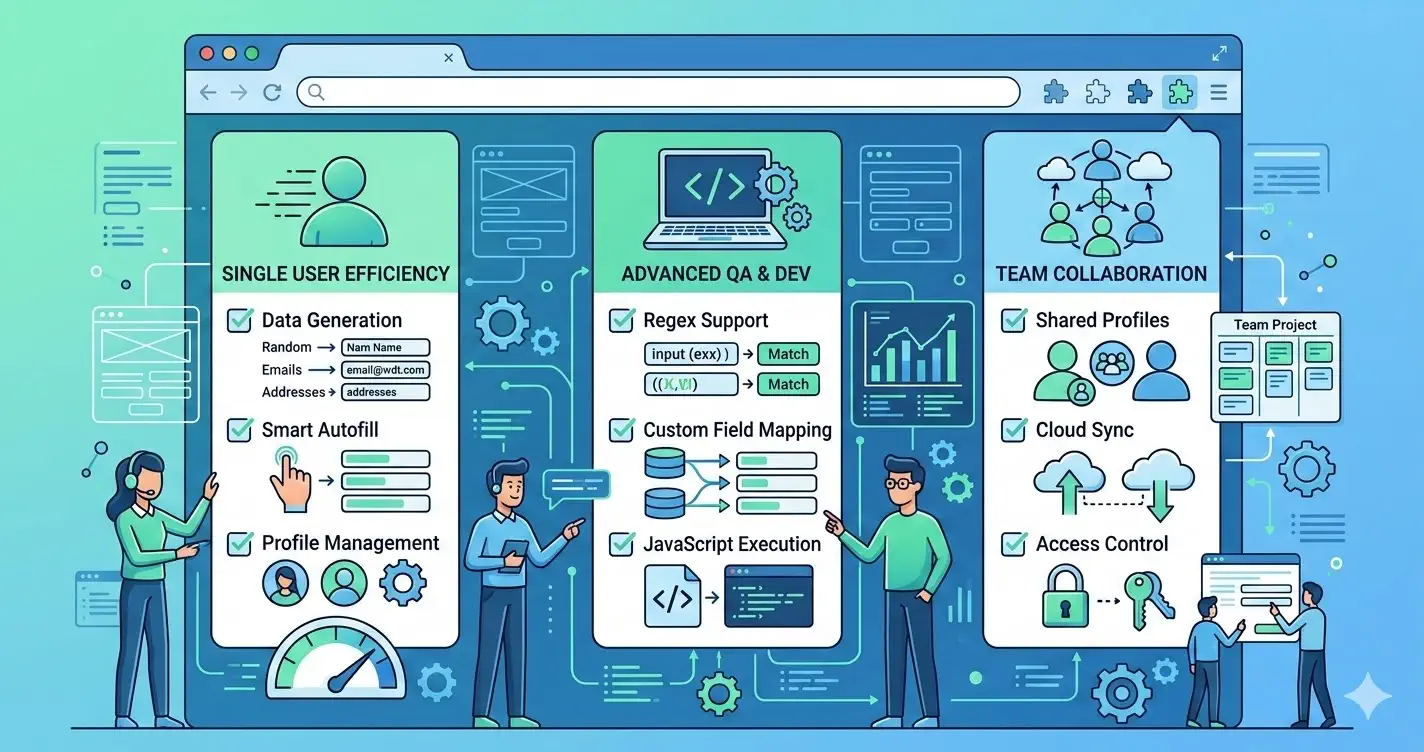
If you are searching for a form filler extension, a form filler Chrome extension, or a form filler extension Chrome setup, you are almost certainly in shortlist mode. You already know the category. You want to know which tool actually deserves a team trial — and which ones look good in a demo but break the moment a real QA workflow hits them.
This guide is built for that decision. It is not a generic primer on form testing. It is a side-by-side evaluation framework you can run this week, with explicit comparisons against Fake Filler and the older rule-based form filler extensions most teams have already tried.
What "form filler extension" actually means in 2026
The term form filler extension covers three very different categories of tool, and most search results blur them together:
- Password-manager autofill. Useful for personal logins, useless for QA. No realistic data, no event firing, no edge cases.
- Rule-based form fillers (e.g. Fake Filler). You hand-write regex rules per field type. Powerful but brittle — every new form means new config.
- Realistic auto-detect form fillers (e.g. MockFill). The extension detects field intent automatically and injects believable values that pass validation on first try.
For QA and dev teams, only categories 2 and 3 matter. The rest of this guide focuses on those.
What this query usually means
Commercial-intent searches in this cluster usually map to one of three needs:
- find an extension that reduces repetitive form entry
- compare shortlist options before a team trial
- validate whether an
autofill forms chrome extensionfits localhost, staging, and QA review work
If you mainly need a process guide, start with Form filler for testing: manual QA workflow that scales. This page is for tool selection.
Criteria that separate shortlist-worthy tools
Use a scorecard that reflects real work, not just feature lists.
| Criteria | What to check |
|---|---|
| Data realism | Do names, emails, phones, and addresses look believable in your UI? |
| Browser fit | Does the extension work cleanly on localhost, staging, and real product forms? |
| Reproducibility | Can testers explain what data was used when they file defects? |
| Team adoption | Can QA, dev, and product use the workflow without heavy setup? |
| Trial evidence | Can you measure cycle-time savings after one week? |
A fast demo is not enough if the workflow becomes noisy in actual QA.
A 7-day trial scorecard
A useful trial is simple:
- Pick two high-friction forms.
- Measure current completion time without the extension.
- Repeat the same flows with the extension for several QA passes.
- Compare bug-report clarity, rerun speed, and adoption friction.
- Decide using evidence, not first impressions.
This gives the team a practical answer to the selection question.
Rollout questions before team adoption
Before standardizing on any chrome extension to fill forms, ask:
- does the data quality hold up in demos and exploratory testing?
- can the tool support the environments your team actually uses?
- will the workflow still make sense for new team members in a month?
- do you have a clear boundary between manual acceleration and automated coverage?
Strong rollout decisions come from clear workflow boundaries.
Comparison: MockFill vs Fake Filler and rule-based alternatives
The most common shortlist for a form filler Chrome extension is MockFill, Fake Filler, and one or two older rule-based tools. Here is how they actually differ in day-to-day QA work.
| Capability | MockFill | Fake Filler | Other rule-based fillers |
|---|---|---|---|
| Setup time | Zero — works on any form on first click | Per-field regex rules, manual config | Manual config, often per-project |
| Field detection | Auto-detects intent (name, email, etc.) | Regex match on name, id, class |
Regex / CSS selectors |
| Data realism | Realistic personas out of the box | Random strings unless rules added | Mostly random / placeholder |
| React / Vue / Angular | Fires real input + change events |
Sometimes — depends on rule | Often DOM-only writes |
| Localhost & staging fit | Works on any URL, no allowlist needed | Works, but rule reuse is awkward | Works, with config drift |
| Onboarding for new QA | One install, one click | Requires learning the rule system | Requires reading internal docs |
| Multi-step form support | Handles step transitions cleanly | Manual rerun per step | Manual rerun per step |
The short version: rule-based tools like Fake Filler reward heavy upfront investment and punish team turnover. Auto-detect tools like MockFill trade that config layer for realistic defaults that work on the first try.
If your team has ever said "we used to have Fake Filler rules but nobody maintains them anymore", you already know which side of this tradeoff you are on.
Where MockFill fits
MockFill is built for teams that want realistic browser-side filling without a complicated setup layer.
It is a strong fit when the team values:
- believable data in the real UI
- fast manual reruns on form-heavy pages
- straightforward adoption across QA and dev workflows
Install MockFill from the Chrome Web Store
If you are evaluating tools right now:
- Install MockFill on Chrome
- Run a one-week scorecard on your two highest-friction forms before making the call.
